

Our platform interacts with AI models the same way a person does, by using their public websites. This guarantees the data you see is authentic and truly reflects the live user experience.
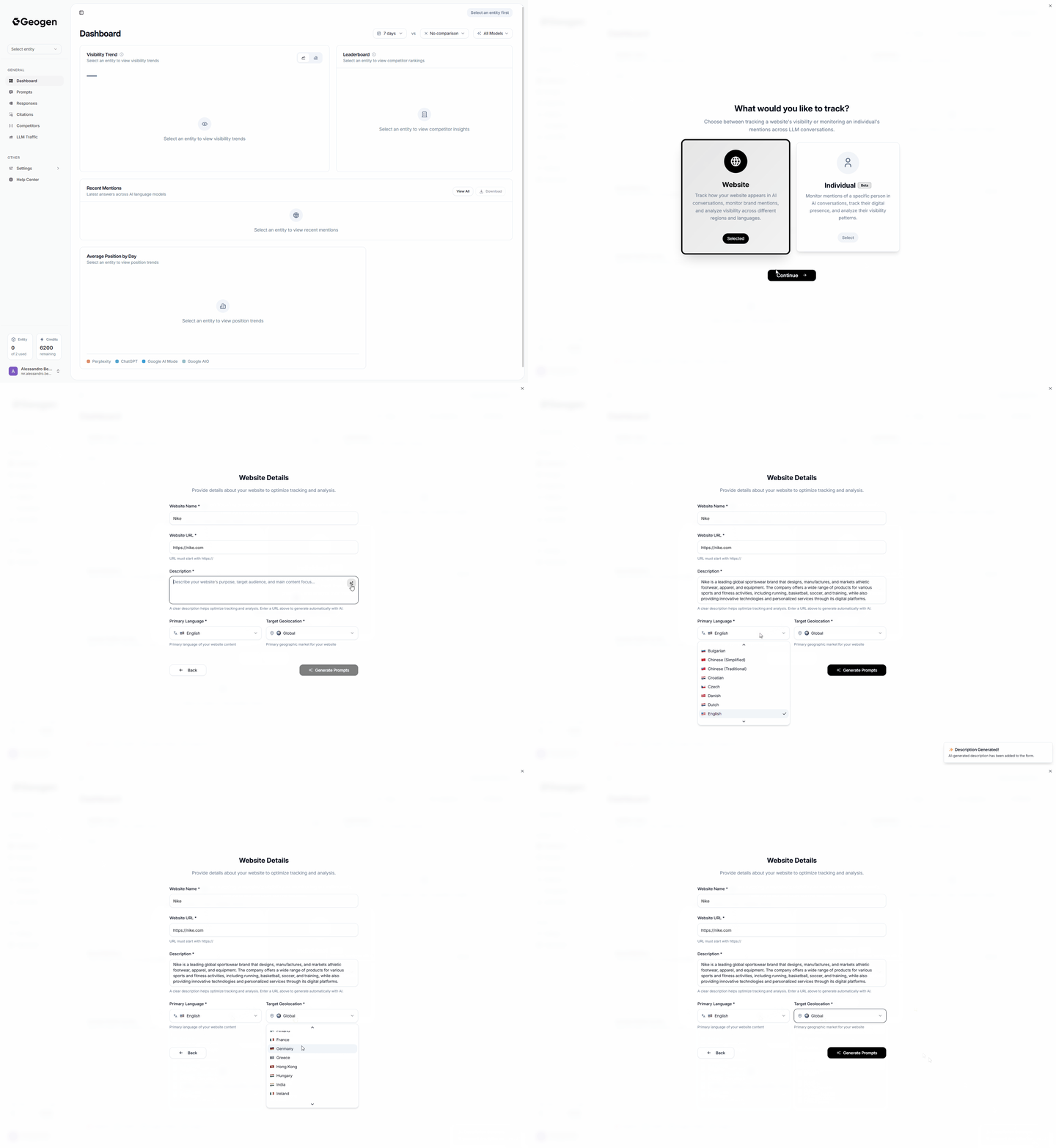
- Click on Select Entity on the top left menu
- Select Add New Tracking
- Select Website (Default) or Individual (Beta)
- Fill the Website Name field with your Company/Brand Name
- Fill the Website URL field with your Company/Brand URL
- Create a Description for your Company/Brand (See Instructions Below)
AI Generated Description
Click the Sparkles Icon on at the Top-Right of the Description Field to have AI Crawl and Understand your Company/Brand and write a Description for it.
Bare in mind that depending on your website structure, the Description Generated by AI may not be the most optimal for AI generated prompts afterwards, but it may be a good starting point, further tweak if necessary highlighting clearly the product/services offered by your company.
Manual Description
Instruction:Enter a concise company + offering summary to improve prompt accuracy.Format:[COMPANY NAME] provides/offers [PRODUCT(S)/SERVICE(S)] [in REGION(S) if applicable].Examples:
- • Acme Solar provides residential solar installation and maintenance.
- • NordicFoods offers frozen vegan meals in Scandinavia.
- • ByteGuard provides cybersecurity audits and managed SOC services.
- • MedTour offers medical concierge services in the Gulf region.